YouTube hosts millions of playlists across various topics, from music albums to educational series and curated collections of videos. Saving entire playlists can be useful for offline watching, for study purposes, or to keep a personal archive.
In 2026, YouTube playlists can be downloaded to desktop computers and Android devices using tools that support multiple formats and resolutions, including high-definition. One option is MeowLoad , available in separate versions for desktop platforms.
1. Install the desktop app
Download MeowLoad and install it on your computer. It’s available for Windows, macOS .
2. Copy the playlist link
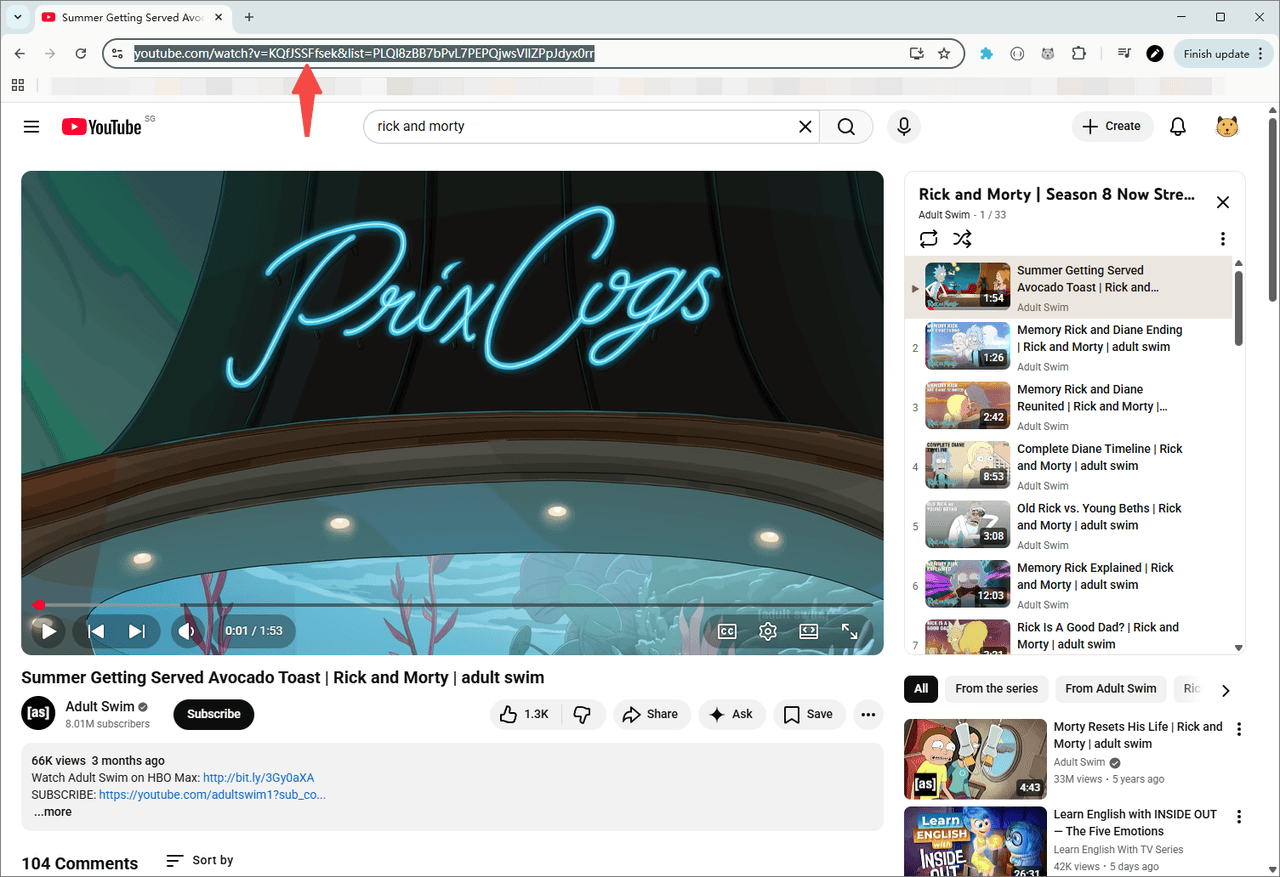
Open the playlist on YouTube in your browser and copy its URL from the address bar.
3. Paste and parse
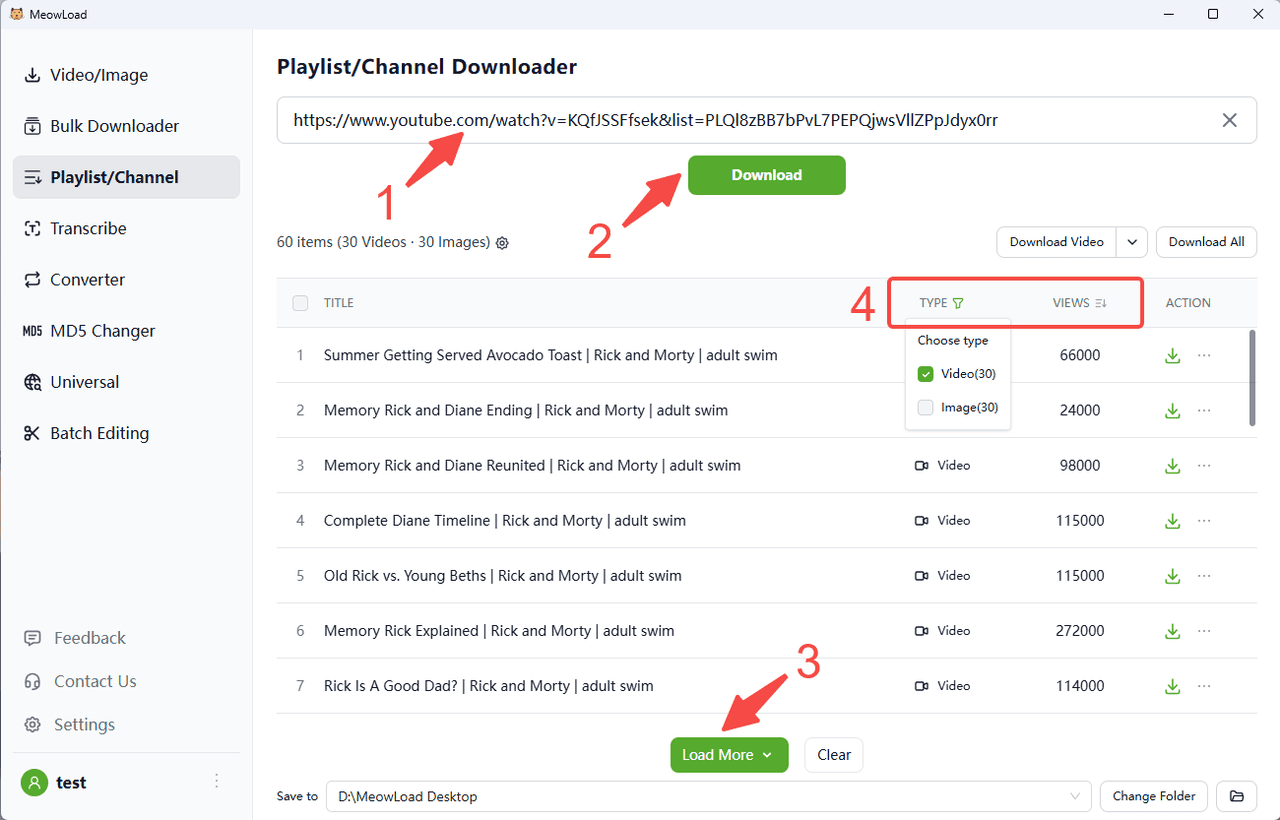
Paste the channel link and click the Download button. You can preview media resources.
4. Load more and filter
Click Load More to fetch additional content. You can also sort files by views / likes and use filters to select the type you want.
5. Select and download
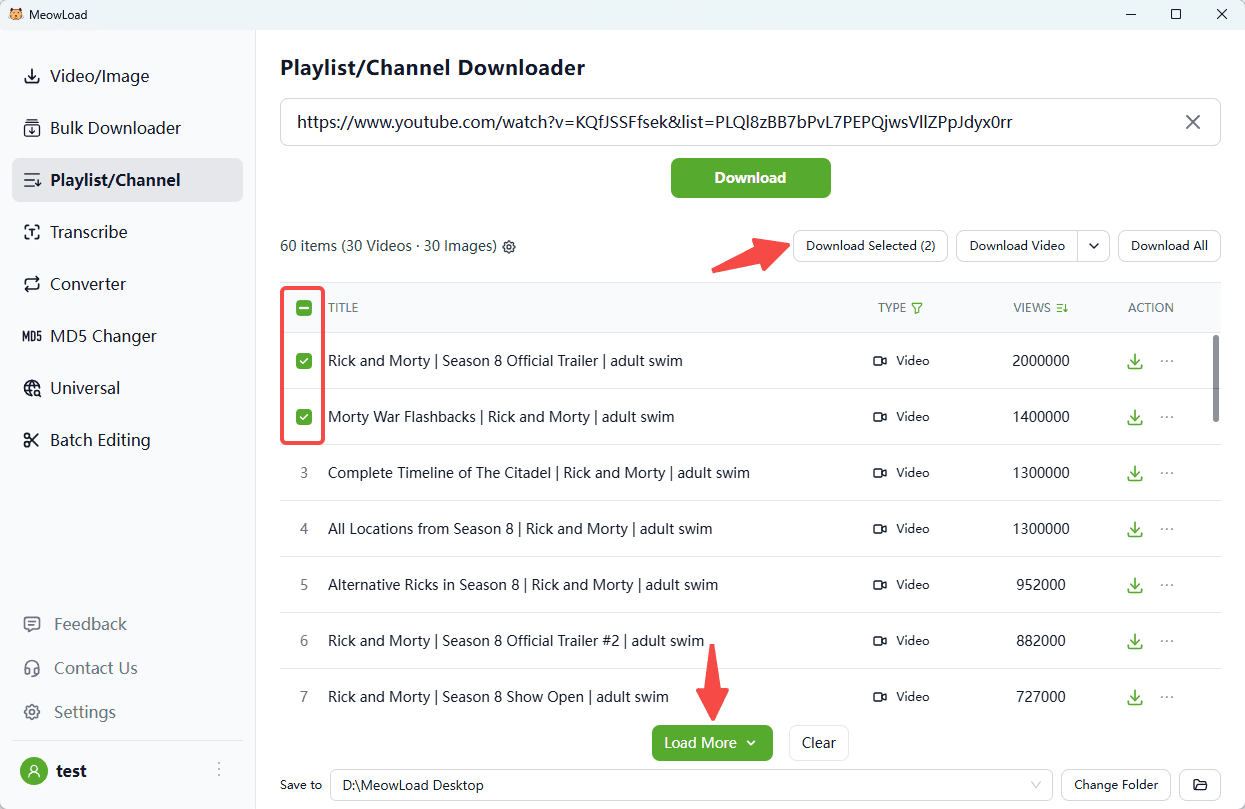
Select all or check the items you need. Click Download Selected button.
6. All set!
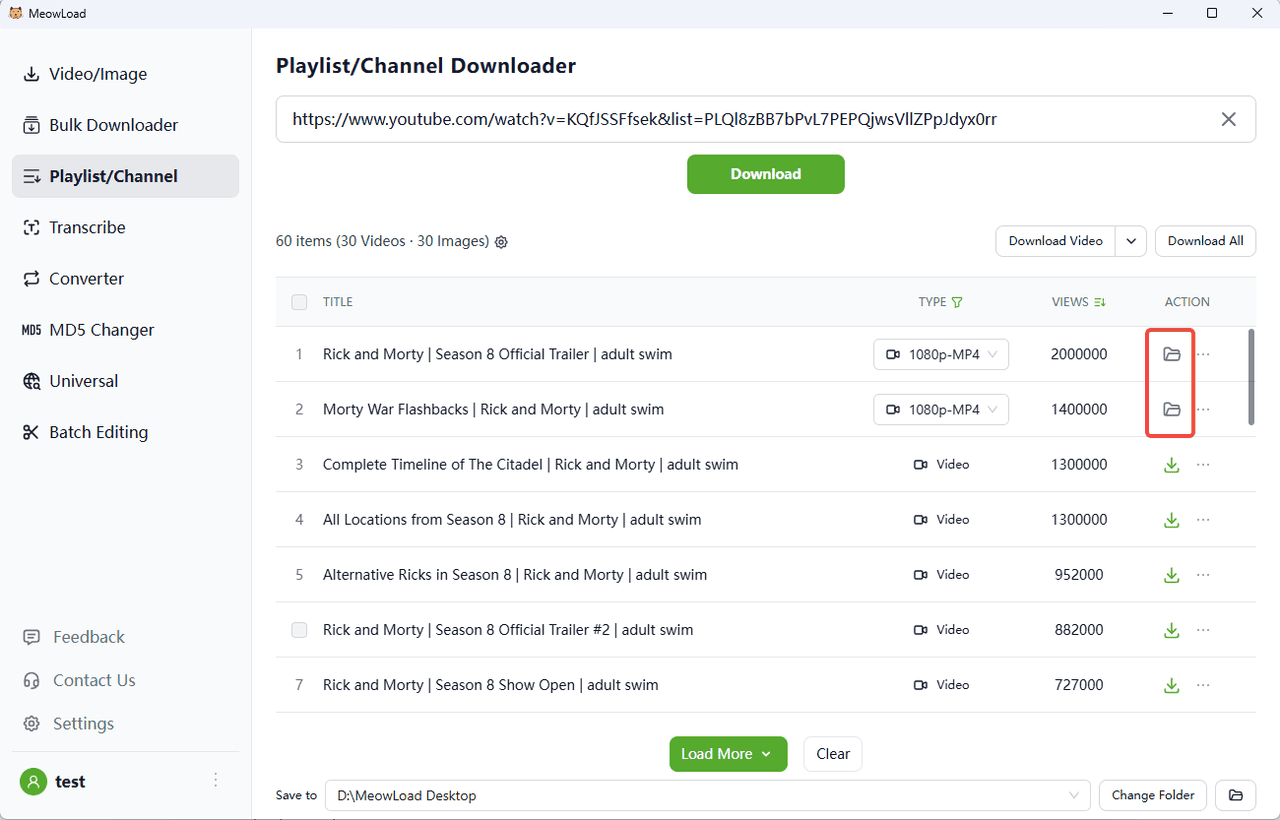
Once the download is complete, click the folder icon to check out your files.